Blueprint Use Cases
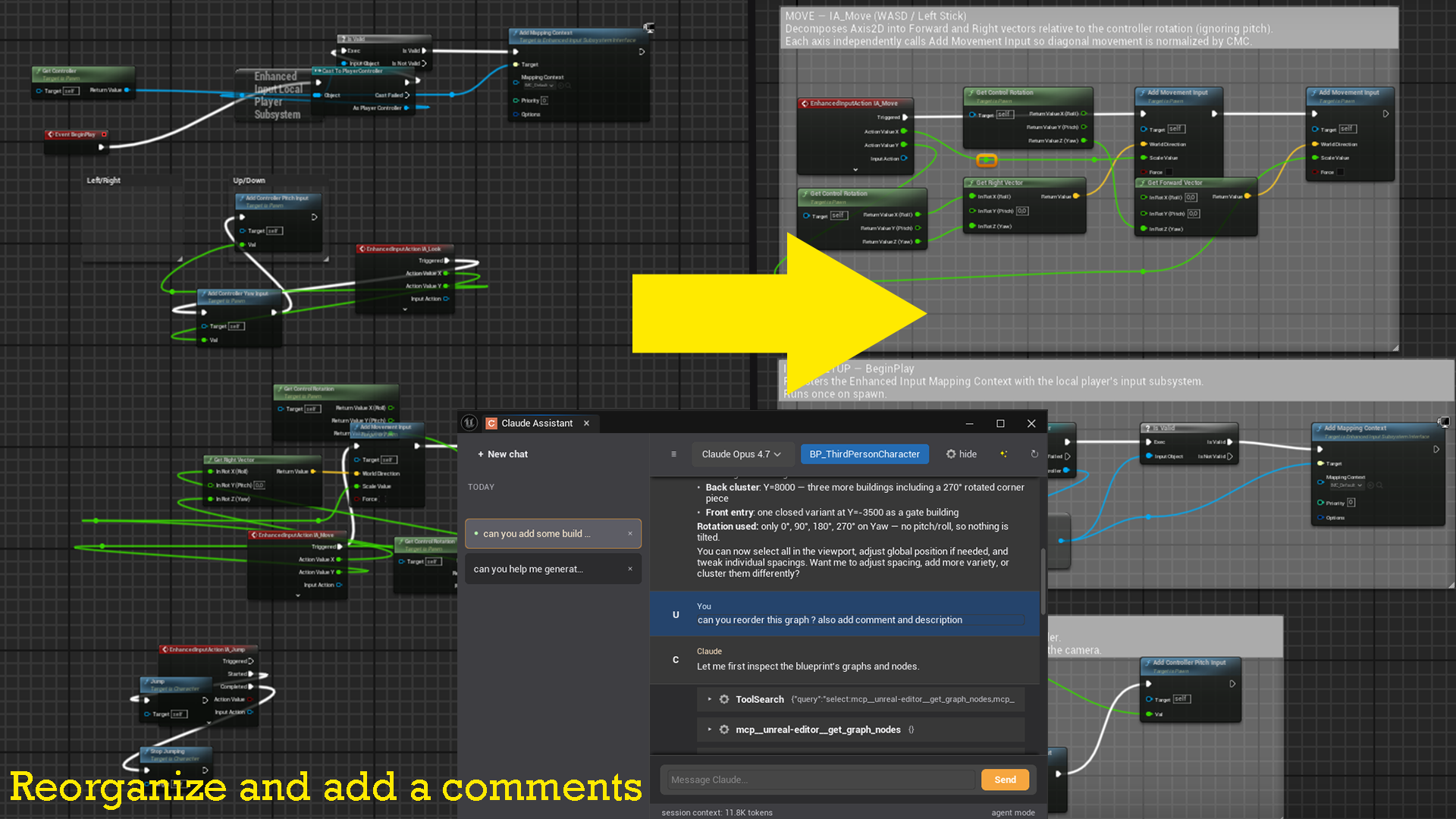
Claude can read and modify Blueprint assets directly. Open any Blueprint in the editor, then open the Claude panel — it will automatically detect the asset.
Clean up unused variables
Over time, Blueprints accumulate variables that are never referenced. Claude can find and remove them in one shot.
Prompt:
List all variables in this Blueprint and tell me which ones are unused.
Claude calls list_blueprint_variables and flags every variable where is_used is false. You can then follow up:
Delete all the unused variables.
Claude calls delete_unused_variables, which shows you a preview of what will be removed before asking for confirmation.
Understand a complex EventGraph
Prompt:
Walk me through what the EventGraph does, step by step.
Claude calls list_blueprint_functions to get all graphs, then get_graph_nodes on the EventGraph to read every node and its connections, and explains the logic in plain language.
Rename variables to follow a naming convention
Prompt:
All boolean variables in this Blueprint should be prefixed with "b".
Find the ones that aren't and rename them.
Claude lists all variables, identifies the non-conforming ones, and calls rename_variable for each — updating all graph references automatically.
Add a new variable
Prompt:
Add a float variable called "Health" in the "Stats" category with a default value of 100.
Claude calls add_variable with the right parameters. A confirmation dialog appears before the variable is created.
Document variables with tooltips
Prompt:
Add a tooltip to every variable in this Blueprint that doesn't have one yet.
Keep the tooltips short and descriptive.
Claude reads the variable list, identifies the ones missing tooltips, and calls set_variable_metadata for each with a generated description.
Reorganize nodes
Prompt:
The EventGraph is a mess. Tidy up the node layout so execution flows left to right.
Claude reads the graph, calculates a clean layout, and calls rearrange_graph to reposition everything. It can also add comment boxes via add_comment to group related logic.