Material Use Cases
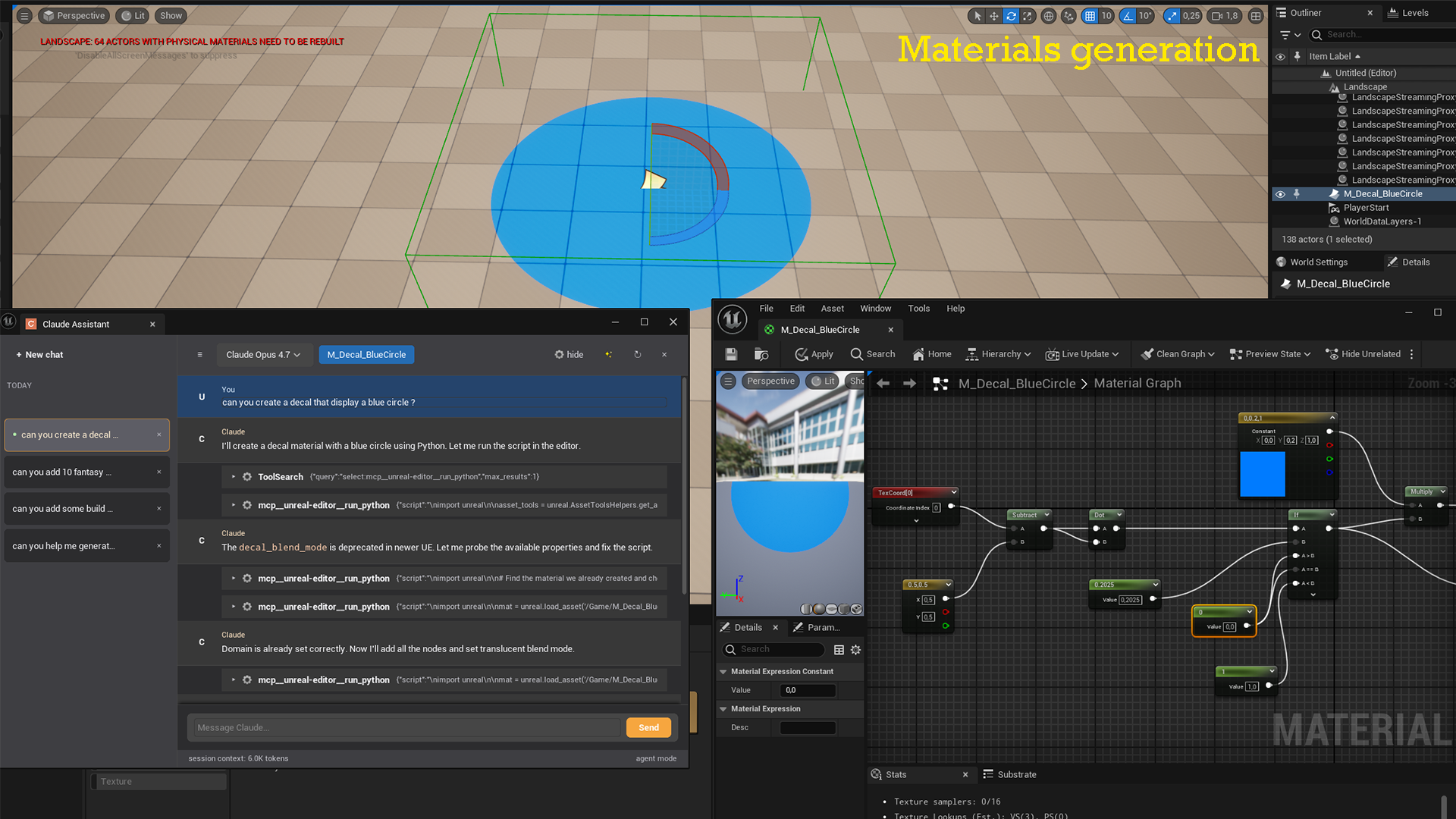
The Claude button appears in Material, Material Function, and Material Instance editor toolbars. While Claude cannot directly read or modify material graphs via MCP tools, it can help in two ways: answering questions about the material you describe, and running Python to inspect or modify material assets programmatically.
Explain a material technique
Prompt:
I have a material that blends two textures based on world-space height using a
LinearGradient node. The result looks banded instead of smooth. What could cause this?
Claude diagnoses common issues — insufficient gradient range, missing smoothstep, or normal map intensity conflicts — and suggests fixes with node-level instructions.
Write a custom HLSL expression
Prompt:
Write a Custom node expression that creates a procedural hexagonal grid pattern.
Inputs: UV (float2), Scale (float). Output: float mask.
Claude returns the HLSL code ready to paste into a Custom node, with an explanation of each step.
Check material parameter names via Python
Prompt:
List all scalar and vector parameters in this material and their default values.
Claude runs a Python script using unreal.MaterialEditingLibrary to extract all parameters:
import unreal

asset_path = "/Game/Materials/M_Rock"
mat = unreal.load_asset(asset_path)

scalar_params = unreal.MaterialEditingLibrary.get_scalar_parameter_names(mat)
vector_params = unreal.MaterialEditingLibrary.get_vector_parameter_names(mat)

for p in scalar_params:
    val = unreal.MaterialEditingLibrary.get_material_default_scalar_parameter_value(mat, p)
    print(f"Scalar  {p}: {val}")

for p in vector_params:
    val = unreal.MaterialEditingLibrary.get_material_default_vector_parameter_value(mat, p)
    print(f"Vector  {p}: {val}")
Batch-update material instances
Prompt:
I have 12 material instances that all use a scalar parameter called "Roughness".
Set it to 0.8 on all of them.
Claude writes a Python script that finds all Material Instance assets in a given folder and updates the parameter on each one via unreal.MaterialEditingLibrary.set_material_instance_scalar_parameter_value().
Find materials using a specific texture
Prompt:
Which materials in /Game/Materials reference the texture T_Rock_Diffuse?
Claude uses unreal.AssetRegistryHelpers and unreal.MaterialEditingLibrary to scan all materials and check their texture sample parameters, then returns a list of every material that references the target texture.
Optimize: find materials without texture compression
Prompt:
Find all textures used by materials in /Game/Materials that have their
compression set to TC_Default instead of something more specific.
Claude queries texture assets via the Asset Registry, checks the compression_settings property, and lists candidates that could benefit from a more targeted compression format.