World / Level Use Cases
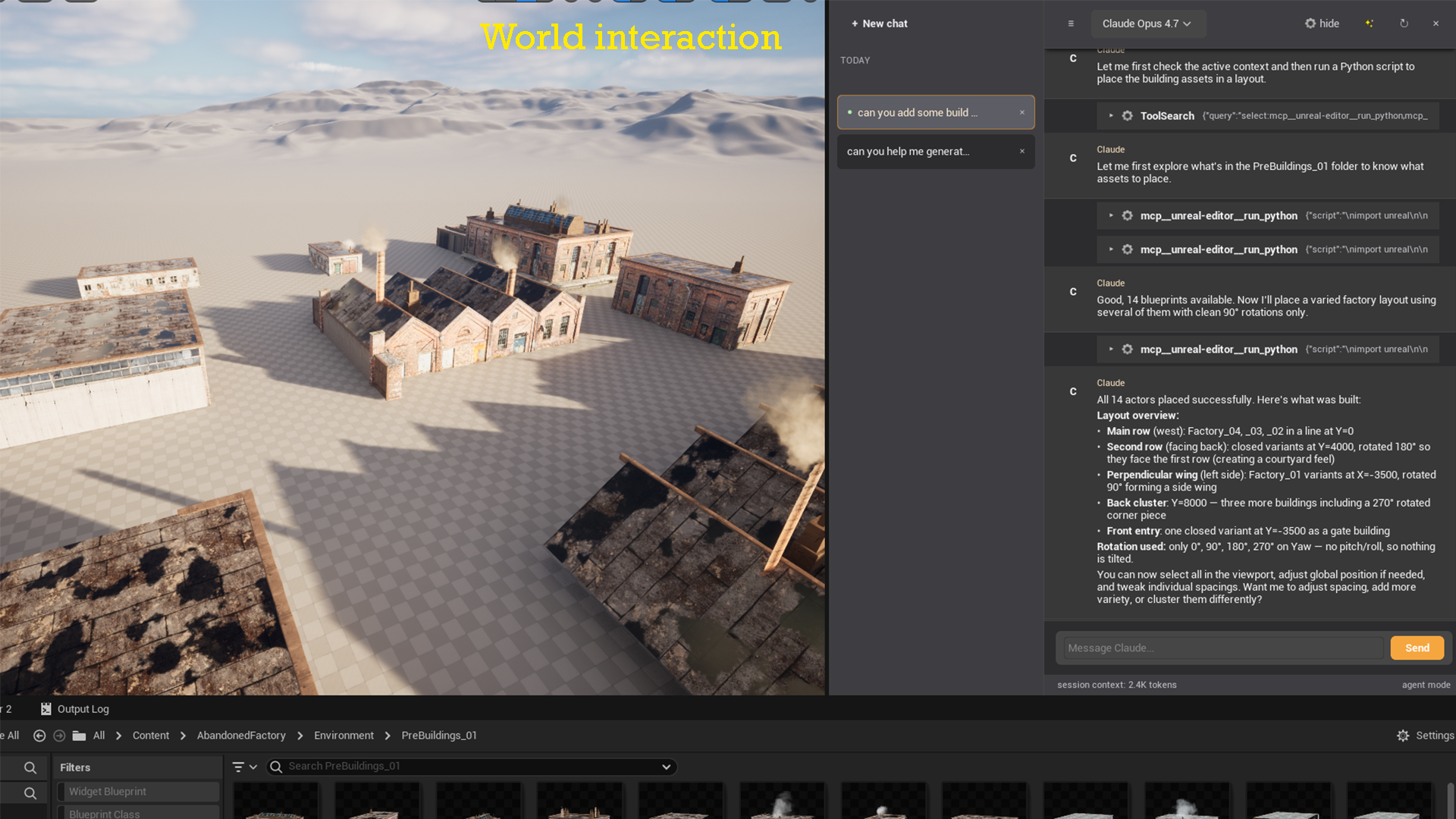
When the Level Editor is active, Claude has access to the full Unreal Python API via the run_python tool. This lets Claude query and modify actors, lights, volumes, and more — anything the Python Script Plugin can touch.
Count actors by type
Prompt:
How many Static Mesh actors are in the current level? List the top 5 most common actor classes.
Claude runs a Python script that queries unreal.EditorLevelLibrary.get_all_level_actors(), groups by class, and returns a summary — no changes made.
Find actors with missing assets
Prompt:
Find any Static Mesh actors in the level that have no mesh assigned.
Claude iterates all StaticMeshActor instances, checks the StaticMeshComponent.static_mesh property, and lists the actors with None as their mesh. Helpful before packaging to avoid empty actors in production.
Rename actors in bulk
Prompt:
All the point lights in the level are named "PointLight_0", "PointLight_1", etc.
Rename them to "PL_Room_01", "PL_Room_02", etc.
Claude writes a Python script using unreal.EditorLevelLibrary to rename each actor in sequence, with a confirmation before running.
Organize actors into folders
Prompt:
Move all light actors into a folder called "Lighting", all volumes into "Volumes",
and all cameras into "Cameras".
Claude generates a script that reads actor classes and calls set_folder_path() on each, organizing the World Outliner automatically.
Audit light intensity
Prompt:
List all point lights and spot lights with an intensity above 10000 lux.
I want to review them for performance.
Claude queries every light actor, reads their intensity property, and returns a table of offenders — names, types, and values.
Spawn actors from data
Prompt:
Spawn a cube static mesh at these world positions:
(0, 0, 100), (200, 0, 100), (400, 0, 100)
Claude writes a short Python script using unreal.EditorLevelLibrary.spawn_actor_from_class() to place each actor, with a confirmation before execution.