Configuration
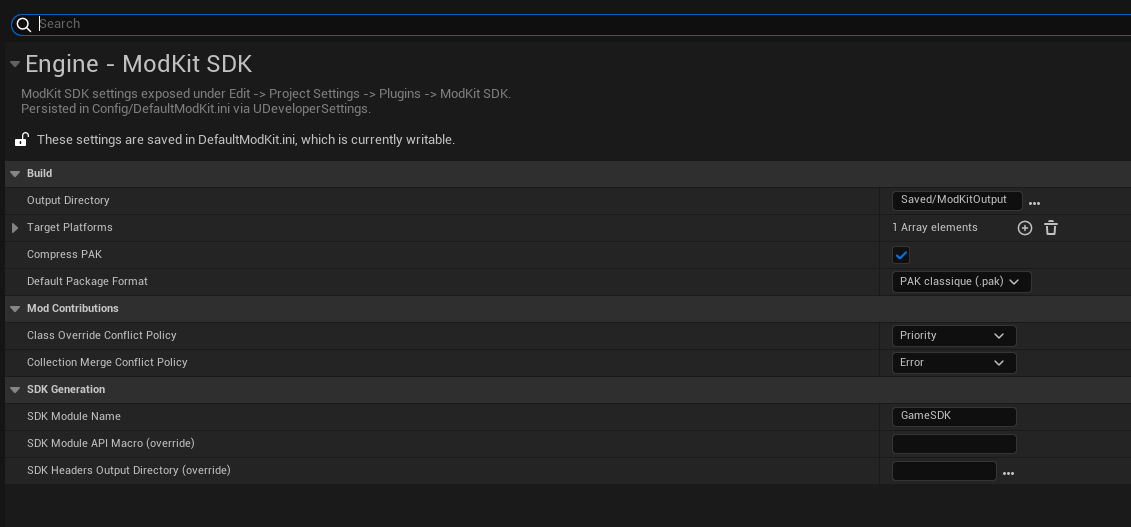
ModKit settings live in two panels under Edit → Project Settings → Plugins:
- ModKit Runtime — runtime settings shipped with the game (saved to
Config/DefaultGame.ini). - ModKit SDK — editor-only build & SDK settings (saved to
Config/DefaultModKit.ini).
Runtime Settings
Under Project Settings → Plugins → ModKit Runtime (saved to Config/DefaultGame.ini).
| Setting | Type | Default | Description |
|---|---|---|---|
ModsDirectory | String | Mods | Folder name alongside Content/ in the game directory, scanned recursively for mods |
ExtraModPaths | Array | (empty) | Additional directories scanned for mods. Absolute, or relative to the game folder. See Steam Workshop & External Sources |
SteamWorkshopAppId | String | (empty) | Your game's Steam App ID. When set, ModKit auto-loads this app's Workshop content — resolved per-machine, no path config. See Steam Workshop |
GameVersion | String | 1.0.0 | SemVer string, compared against each mod's MinGameVersion / MaxGameVersion |
bEnableModLoading | bool | true | Master switch. Set to false to ship a no-mods build |
Build & SDK Settings
Under Project Settings → Plugins → ModKit SDK (saved to Config/DefaultModKit.ini).
| Setting | Type | Default | Description |
|---|---|---|---|
bCompressPak | bool | true | Enable Oodle compression for PAK output |
OutputDirectory | Path | Saved/ModKitOutput | Output path for packaged mods |
TargetPlatforms | Array | [Windows] | Platforms to cook for (requires the platform's SDK installed) |
DefaultPackageFormat | Enum | PAK | PAK or IoStore (UE 5.4+) |
ClassConflictPolicy | Enum | Priority | How two mods overriding the same class are resolved |
CollectionConflictPolicy | Enum | Error | How two mods merging into the same DataTable are resolved |
ModKit does not implement network/file-system sandboxing. The only enforced security boundary is native-code rejection (see Security) — it is always on and has no setting.
Tag Configuration
Edit → Project Settings → Game → ModKit Tag Configuration
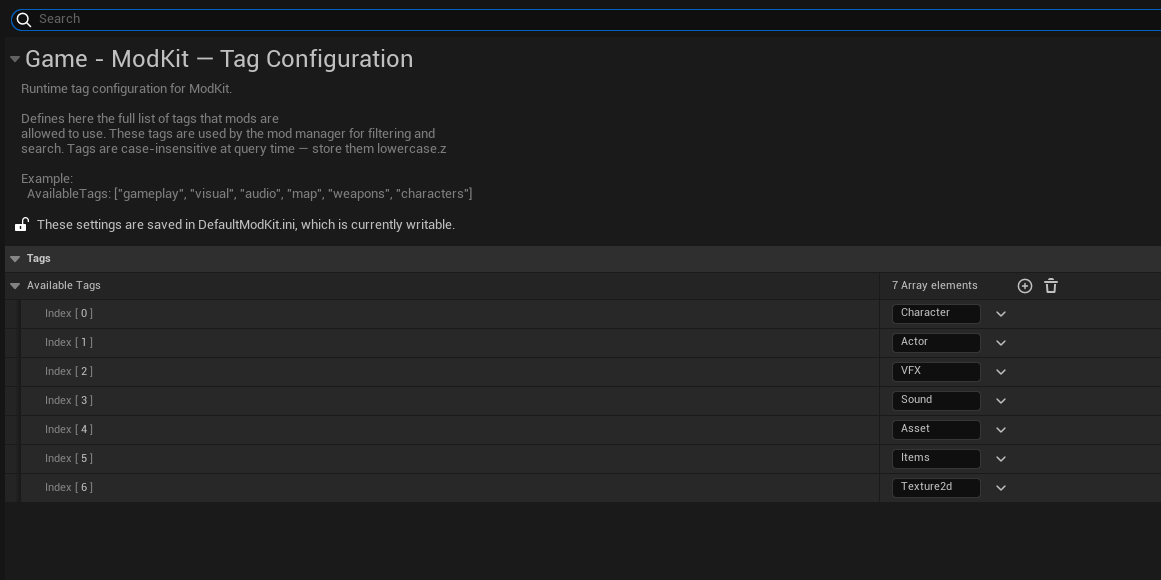
Define the authoritative vocabulary of tags that mods can use. The list is entirely up to you — add whatever tags make sense for your game.
Mods can only use tags from this list. Unknown tags are stripped on load.
Config Files
Runtime settings → Config/DefaultGame.ini:
[/Script/ModKitRuntime.ModKitRuntimeSettings]
ModsDirectory=Mods
GameVersion=1.0.0
bEnableModLoading=True
SteamWorkshopAppId=311210
+ExtraModPaths=D:/SharedMods
Setting SteamWorkshopAppId is all it takes to load Workshop mods — the path is resolved
automatically on each player's machine. See Steam Workshop & External Sources.
Editor build & SDK settings → Config/DefaultModKit.ini:
[/Script/ModKitEditor.ModKitSettings]
OutputDirectory=(Path="Saved/ModKitOutput")
TargetPlatforms=Windows
bCompressPak=True
DefaultPackageFormat=PAK
ClassConflictPolicy=Priority
CollectionConflictPolicy=Error
Accessing Settings at Runtime
Runtime settings come from UModKitRuntimeSettings (in the ModKitRuntime module):
#include "ModKitRuntimeSettings.h"

const UModKitRuntimeSettings* RS = UModKitRuntimeSettings::Get();
FString ModsDir = RS->ModsDirectory;
FString GameVer = RS->GameVersion;
Version Compatibility
The GameVersion field is compared against each mod's MinGameVersion using full SemVer (Major.Minor.Patch) rules:
Mods can declare both a MinGameVersion and a MaxGameVersion in their ModDescriptor.json.
MinGameVersion — game must be at least this version:
| Game version | Mod MinGameVersion | Result |
|---|---|---|
1.2.0 | 1.0.0 | ✅ Loaded |
1.2.0 | 1.2.0 | ✅ Loaded |
1.2.0 | 1.2.1 | ❌ GameVersionTooOld |
1.2.0 | 1.3.0 | ❌ GameVersionTooOld |
| any | (empty) | ✅ Always loaded |
MaxGameVersion — game must be at most this version:
| Game version | Mod MaxGameVersion | Result |
|---|---|---|
1.2.0 | 1.2.0 | ✅ Loaded |
1.2.0 | 1.3.0 | ✅ Loaded |
1.2.0 | 1.1.0 | ❌ GameVersionTooNew |
| any | (empty) | ✅ Always loaded |
If GameVersion itself is invalid, all mods with a declared MinGameVersion are rejected.
Increment your GameVersion whenever you make changes that could break existing mods — removed Blueprint nodes, renamed assets, changed function signatures. Mods that don't declare a MinGameVersion are never affected.